Brand Identity Deliverables: The Full Handover in 46 Items
The handover checklist for a brand identity: 46 items in nine groups, the file formats by use, and three tests to run before you sign off.

Summarize with AI
Key takeaways
- Judge a handover by use, not by file count. Your developer, your printer, your sales team and your social manager each need different files.
- Three formats cover almost every logo use: SVG for screens, PDF for print, PNG for documents. EPS only when a printer asks.
- Fonts must be licensed in your company’s name, for every use (desktop, web, app). A font the designer licensed is not a font you own.
- Guidelines are only useful in a format the person using them can open. A Figma-only guide excludes most of your company.
- Run three tests before you sign off: build a slide from the guide alone, open every file, and check the right paragraph in the contract.
A complete brand identity handover has six kinds of deliverables: the logo family in vector and raster formats, color values for screen and print, typefaces with licenses in your company’s name, imagery and icon assets, brand guidelines in formats everyone on your team can open, and the source files and written rights that make all of it yours. If any of them is missing, the identity is not finished, however good it looks on the presentation slides.
If you are reading this, the files have probably arrived, or they are about to. This article is the audit I would run on them. It assumes you already know what a brand identity is made of; if you want the six elements explained, read what a brand identity includes first. If you are still choosing a scope, start with logo vs brand identity.
I’m Masuder Rahaman, a brand designer and the founder of Wolfpixel, where I lead the design team. I have handed over identities on more than 350 projects, most of them for startup founders in the US, the UK, the UAE and Saudi Arabia. Handover problems tend to come from the same short list of gaps, and all of them are cheap to catch on delivery day and expensive to discover three months later.
How do you check brand identity deliverables?
Check them with the people who will use them. Group the deliverables by who will use them, then check each group with that person in the room. A founder checking alone will approve a beautiful PDF and miss that the developer has no SVGs. The groups below are ordered that way: what everyone needs, what the website and product team needs, what print and physical needs, what the people writing and posting need, and what the company needs on paper.
A note on scope: this is the checklist for a full identity. A logo-only project delivers the first two groups and a one-page color and type sheet; it does not include strategy, voice or full guidelines, and should not be judged as if it did.
The brand identity deliverables checklist: 46 items
Tick what you have. Anything unticked goes into the final revision round, not into a “later” pile.
Group 1: The logo family (everyone uses this)
- Primary logo (symbol and name together)
- Wordmark alone
- Symbol or monogram alone
- Horizontal and stacked lockups
- Each of the above in full color, one color, black, and reversed (white for dark backgrounds)
- Small-size versions where the primary mark loses detail (a simplified favicon or app icon)
- Clear-space and minimum-size rules written down
- Bilingual versions (Arabic and English) designed together, if you sell in the Gulf
Group 2: File formats (one set per logo version)
- SVG, for websites, apps and anything on a screen
- PDF (vector), for printers and for any document that will be printed
- PNG with a transparent background, in at least two sizes, for slides, documents and email signatures
- EPS, only if a specific printer or signage supplier has asked for it
- Favicon files (ICO or PNG at the sizes your developer specifies; Google recommends a square larger than 48×48 px) and a square app icon master
- Social avatars pre-cropped to a square and a circle
Group 3: Color (developers, designers and printers)
- Every brand color with HEX and RGB values
- The same colors with CMYK values for print
- Pantone references, if you print packaging or signage that must match exactly
- Approved text and background pairings that meet WCAG contrast minimums (4.5:1 for normal text)
- A note on which colors lead, which support, and which are accents
Group 4: Typography (everyone, but the licenses matter most to the company)
- Primary typeface named, with the weights in use
- Secondary or system fallback typeface named
- License purchased in your company’s name, covering every use you have: desktop, web and app. If the designer bought the license, it belongs to the designer
- If the typeface is open-license (most Google Fonts are), a note saying so and a link to the files
- An Arabic typeface matched to the Latin one, if you need both scripts
Group 5: Imagery, icons and graphic elements (marketing and product)
- Photography or illustration direction with examples of what fits and what does not
- Icon set as SVG, drawn on the same grid as the logo
- Patterns, shapes or graphic devices as vector files
- Any stock images used in the identity, with their licenses or a note on who holds them
- Layout grid or spacing rules, if the identity defines them
Group 6: Voice (anyone who writes for the brand)
- One-line positioning statement
- Three or four key messages
- Voice traits with do and don’t examples
- Tagline, if one was in scope
Group 7: Brand guidelines (the whole company)
- A PDF anyone can open and share
- An editable version your non-design teams can use (PowerPoint, for most companies)
- The guide as a working design file (Illustrator or Figma) so it can be updated
- Examples of the brand on real touchpoints: deck, social post, website, one physical application
- Rules for the awkward cases: logo over photos, next to partner logos, in a circle crop, in one color
Group 8: Working files and systems (your designers and developers)
- A Figma library with the logo, colors, type styles and components
- Source files for the logo (Illustrator or Figma)
- Design tokens (usually JSON) if your product team will build from the brand; they are part of an AI-ready brand system
- A single shared folder with clear file names, which becomes the only source of truth
Group 9: Rights and paperwork (the company)
- A written, signed assignment of copyright in the final work, effective on final payment
- Clarity on who owns rejected concepts (designers often keep them)
- Confirmation that the designer does not file trademarks and that your lawyer will
- Final invoice marked paid, since ownership normally transfers at that point
That is the full brand assets list: 46 items in nine groups. A logo-only package covers the first two groups; everything after that is what makes it an identity.
Which logo file format goes where?
Use SVG on screens, vector PDF for print and transparent PNG in documents and slides. The question “which file do I use?” is asked more often than any other in the first month of a new identity, so put this table in the shared folder.
| Where it goes | Use this | Why |
|---|---|---|
| Website header, app, anywhere on screen | SVG | SVG is vector: sharp at every size and small in file size |
| Printed material via a commercial printer | PDF (vector) | Printers need vector; PDF preserves it and embeds fonts |
| Slides, Word documents, email signatures | PNG (transparent) | Office apps handle PNG reliably; some mangle SVG |
| Signage, embroidery, large-format print | PDF or EPS, one-color version | Suppliers often work in one or two colors |
| Social profile picture | PNG, square and circle crops | Circle crops clip wide marks |
| Favicon | ICO or PNG at the sizes the platform requires | The full logo is unreadable at 16 pixels |
| Partner co-branding | SVG or PDF, with clear-space rules | Partners resize; vector survives it |
| App store icon | Square master at the platform’s required size | Platforms crop and add their own corners |
Two formats are missing from that table on purpose. JPG has no transparency and compresses edges, so it has no place in a logo kit. AI (Illustrator native) is a source file, not a delivery format; it belongs in Group 8, not in the folder you send to a printer.
What should you test before you sign off?
Files can all be present and the handover can still fail. Run these three tests during the final revision round, while changes are still free.
Test 1: Build something from the guide alone
Ask someone who was not in the project to make one slide and one social post using only the brand guidelines and the shared folder. No questions allowed. Every question they would have asked is a missing rule, and this is the moment to add it. The brand guidelines service page on this site suggests the same test, because it catches gaps no designer can see from the inside.

Test 2: Open every file on every machine
Open the SVGs in a browser, the PDFs in a print preview at 100%, the PNGs in a Word document, the Figma library as a viewer, and the PowerPoint version of the guidelines on a PC and a Mac. Check that fonts are embedded in the PDF (if a font substitution warning appears, the file is not print-ready). Check that the one-color versions are actually one color (gradients masquerading as black are common).
Test 3: Read the rights paragraph
Find the sentence in the contract that transfers copyright to you, check it is signed, and check what it says about source files and rejected concepts. In the US, a contractor’s work is not automatically yours just because you paid for it (work made for hire covers only narrow cases); the transfer has to be in writing and signed. Then confirm the trademark plan: your lawyer files it, and the designer hands over clean files for the application.
What is not included in a brand identity package?
Surprises at handover are usually things the client assumed were in scope. The following are not part of a standard identity package from most designers, including mine, unless the proposal says so:
- Building the website (design in Figma may be included; the build is a separate job, and an online store needs its own work on the theme and packaging, as in Shopify store branding)
- Producing ad campaigns
- Filing trademarks (your lawyer does this)
- Font licenses (you buy these; the designer specifies them)
- Company naming (a separate service)
- Templates beyond the examples in the guidelines, unless agreed
- Ongoing design support after delivery
Read the “not included” line of any proposal as carefully as the “included” line.
Which deliverables should a proposal list?
Before you commission an identity, use the same checklist in reverse. A proposal that lists “logo, colors, fonts, brand guide” has told you almost nothing. Ask for the deliverables stated at the level of Groups 1 to 9 above, with formats. Specific things to ask:
- Which logo versions, in which formats?
- Do the guidelines come in a format my non-design staff can open?
- Is a Figma library (or equivalent working file) included?
- Who buys the font licenses, and in whose name?
- Are source files included, and when do I get them?
- When does ownership transfer, and is the assignment in writing?
- Are design tokens available if my product team needs them?
A designer who answers all seven without hesitation has done this many times. One who has to think about question four has probably never handed over a license correctly. For the rest of the conversation, see the questions to ask a brand designer.
What my brand identity package delivers
The brand identity package on this site delivers strategy and positioning, the full logo system, a color and type system, imagery, icons and brand voice, and brand guidelines as PDF, PowerPoint and Illustrator files with a Figma library and source files. Ownership of all final files transfers to you once the project is paid in full. You buy the font licenses; the stock images used in the work are provided. Your lawyer files the trademark; I hand over clean files for it.
The brand identity package is $3,499 and takes 2–3 weeks. For teams that will build products from the brand, the $6,999 Premium package adds design tokens as JSON, an AI image style guide, a brand voice written for AI tools and website design in Figma (compare the packages). For what other designers and agencies charge for a similar scope, see the brand identity cost guide.
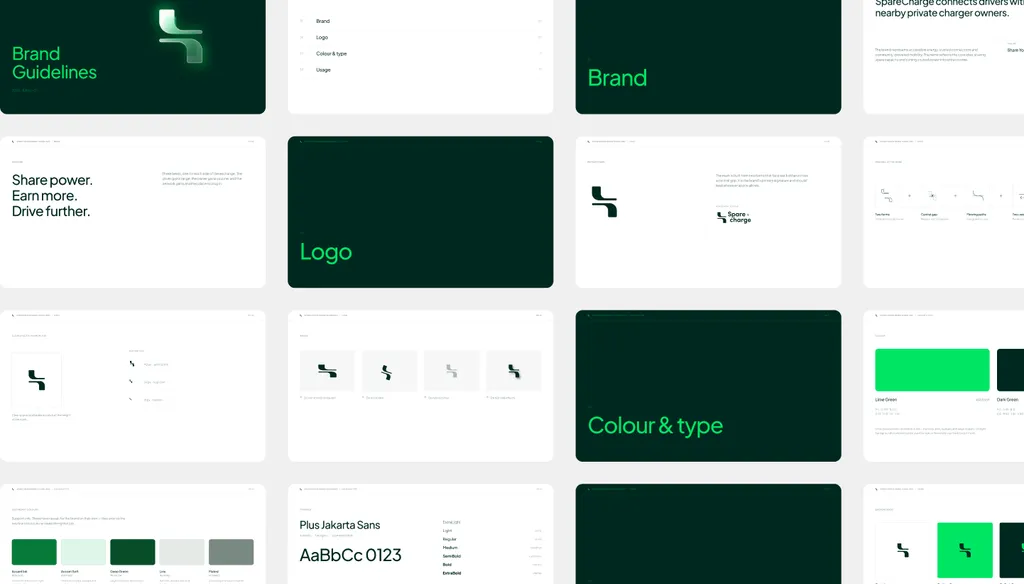
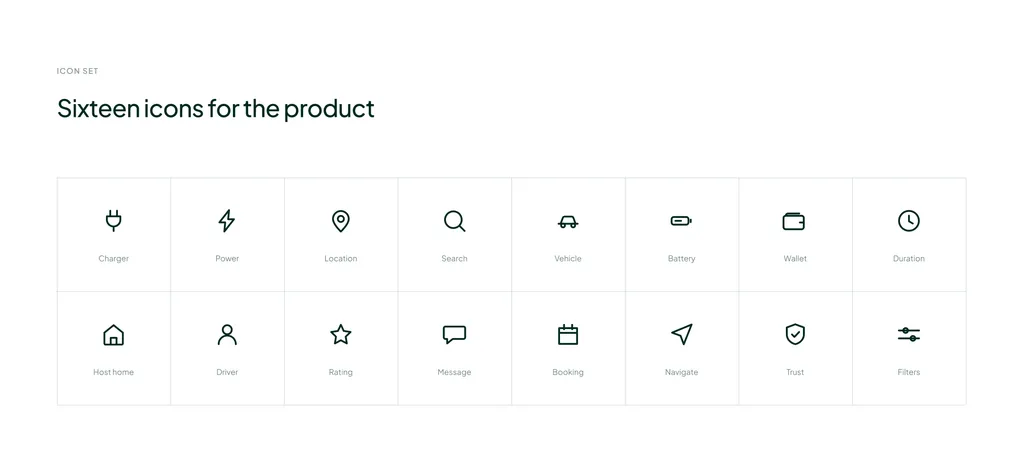
On the SpareCharge project, the handover included brand guidelines, a 16-icon set and a token-based design system covering the app, a smartwatch companion and the charger screen, so the product team could build from day one without asking which green was the right green.
If your current brand has the files but not the rules, brand guidelines on their own may be the right scope; for a small team, one-page brand guidelines and a few templates are often enough. Not sure whether you need a full identity or just the guidelines? Book a free 30-minute call in your time zone. I will tell you which scope fits, and you will leave with a written quote if you want one.
FAQ
What are brand identity deliverables?
The files and documents you receive at the end of a brand identity project: the logo family in SVG, PDF and PNG, color values for screen and print, typefaces with licenses in your name, imagery and icons, brand voice, guidelines, source files and a signed copyright assignment. The checklist above has 46 items in nine groups.
Which logo file formats do I actually need?
SVG for screens, vector PDF for print, and transparent PNG for documents and slides. Add EPS only if a supplier asks for it. You do not need JPG versions of a logo.
Should brand guidelines be a PDF or a Figma file?
Both, and usually a PowerPoint version too. A PDF is for reading and sharing, Figma is for designers to build from, and PowerPoint (or similar) is for sales, operations and anyone without design software. A guide only in Figma excludes most of the company.
Do I own the source files and the copyright?
Only if the contract says so. Many designers keep working files, and in the US paying an invoice does not transfer copyright without a written, signed assignment. My brand identity and Premium packages include source files and a Figma library, and ownership transfers on final payment.
Who owns the fonts?
Whoever holds the license. A font the designer licensed for their own machine is not licensed to you. Buy the license in your company’s name, covering every use: desktop, web and app. Open-license fonts, such as most Google Fonts, avoid the problem.
What is not included in a brand identity package?
Usually: building the website, ad production, trademark filing, font licenses, naming and ongoing support. Read the proposal’s “not included” line as carefully as the deliverables.
Sources