How to Rebrand a Business in 8 Steps Without Losing Customers
How to rebrand a business in eight steps: audit, strategy, name, identity, asset inventory, rollout, announcement and after launch, with owners, a timeline and a checklist.

Summarize with AI
Key takeaways
- A rebrand runs in eight steps: audit, strategy, name decision, identity, asset inventory, rollout plan, announcement and after launch.
- Decide early whether you need a rebrand at all, and whether the name changes. Those two answers set the cost, the risk and the length of the rollout.
- The design takes weeks. The rollout is usually the bigger job, so list every asset before launch day.
- Keep what customers recognize, tell your team before your customers, and tell customers what stays the same.
- If the domain or URLs change, redirect every old URL to its new one and keep the redirects for at least a year, as Google recommends.
To rebrand a business, work in this order: audit the brand you have and decide what to keep; set the new strategy; decide whether the name stays; design the new identity; list every place the old brand appears; plan the rollout with an owner and a date for each item; announce it to your team first and your customers second; then protect your search rankings and measure what changed. The design is the visible part. The order, the inventory and the rollout are what keep customers and search traffic with you.
I’m Masuder Rahaman, a brand designer and the founder of Wolfpixel, where I lead a design team for founders in the US and the Middle East. Rebranding is one of my services. This is the order I recommend to companies that have outgrown their brand, including the rollout that happens after the design is handed over. The rebrand of Core.hr, an HR software company, is the worked example.
First, make sure you need a rebrand
A rebrand changes what the brand stands for: its positioning, its identity and sometimes its name. A refresh updates how the brand looks and keeps the name, the strategy and what people recognize. Most companies that feel “dated” need a refresh, which is smaller, cheaper and lower risk.
You probably need a rebrand if one of these is true:
- The business has changed. A new product, a new audience, a new price point, a merger or a move into new markets. In a study of 166 companies that rebranded, Laurent Muzellec and Mary Lambkin found that rebranding was most often provoked by structural change, particularly mergers and acquisitions (European Journal of Marketing, 2006).
- The brand tells the wrong story. It makes you look smaller, older or different from what you are.
- The name is the problem. It causes a legal conflict, misleads people, or ties you to something you no longer are.
If none of those is true, read rebrand or refresh first. If a refresh is enough, what a brand refresh includes sets out the scope; the rollout steps below still apply, on a smaller scale.
The 8 steps at a glance
| Step | What you produce | Decision point |
|---|---|---|
| 1. Audit | What to keep, what to drop, and why | Rebrand or refresh? |
| 2. Strategy | Positioning, audience, voice, key messages | Does everyone agree what the brand stands for? |
| 3. Name decision | Keep, adjust or change the name | Is a new name cleared and secured? |
| 4. Identity | Logo system, color, type, imagery, guidelines | Which direction fits the strategy? |
| 5. Asset inventory | Every place the old brand appears | Is anything missing? |
| 6. Rollout plan | An owner, a date and an order for every asset | Go or no-go for launch day |
| 7. Announcement | Internal launch, then customers | Has the team heard it first? |
| 8. After launch | Redirect checks, listings, measurement | Is anything still showing the old brand? |
Steps 1 to 4 are the strategy and design. Steps 5 to 8 are the rollout, where most of the work sits in a company that has been trading for years.
Step 1: Audit the brand you have
The audit answers one question: what is worth keeping? Every rebrand throws something away. The audit makes sure it is the right thing.
Look at four things:
- What customers recognize. A color, a symbol, a shape, a phrase. Ask a few customers to describe your brand without looking at it. What they remember is the riskiest thing to change, and your most loyal customers are the ones most likely to notice.
- What customers misunderstand. The questions sales keeps answering, the reason prospects say “I didn’t know you did that.”
- How competitors present themselves. Put your homepage and logo next to five competitors’. Which colors, words and images does everyone already use?
- What you have today. Logo files, colors, fonts, templates, and how consistently the team uses them. A messy brand is sometimes a guidelines problem, not a rebrand problem.
Decision point: rebrand or refresh? If people like what you stand for and only the look is the problem, plan a brand refresh instead.
Output: a short list of what to keep, what to drop and why, signed off by the founder.
Step 2: Set the new strategy
The strategy is the step people want to skip, and it decides whether the new logo means anything. New visuals on an old idea give you a nicer-looking version of the same problem.
A rebrand strategy answers:
- Who you serve now: the customers the business is built for after the change.
- What makes you different, in one sentence a customer would believe.
- The idea the brand owns: the one thought every touchpoint should carry.
- Personality and voice: how the brand sounds in a headline, an invoice and a support reply.
- Key messages for the homepage, the deck and the announcement in step 7.
- Where you are going: new markets, products or languages, so the system has room for them. If the UAE or Saudi Arabia is next, plan Arabic and English versions now.
Get everyone who can veto the result to agree on this before design starts. Arguments about logos are usually arguments about strategy that nobody had earlier. If strategy is the main gap, brand strategy can run as its own project first.
Output: a one- or two-page strategy that every later decision is judged against.
Step 3: Decide whether the name stays
Most rebrands keep the name. Changing it multiplies the work: trademark clearance, a new domain, legal filings, bank and tax records, and a longer explanation to customers. Change it only when the name itself is part of the problem.
| Situation | Usual answer |
|---|---|
| Customers like the name; the story around it is wrong | Keep the name, change the identity |
| The name includes a word you have outgrown (a city, a product, “Labs”) | Consider shortening or adjusting it |
| The name causes a trademark conflict, misleads people, or ties you to an old owner | Change the name |
| Two companies have merged | Decide first which name leads, or choose a new one |
If the name changes, choose and clear it before the identity is designed, because the logo is drawn around the name. Clearance means more than one database search. The USPTO describes a comprehensive clearance search as one that also covers US state trademark and business registries, domain name registries, international trademark databases and the Internet, and notes that “an attorney can provide a clearance search and interpret the search results.” Secure the domain and social handles quietly before anyone outside the company hears the name.
A legal name change also comes with paperwork: registrations, tax records, bank accounts and contracts. The full sequence, including the IRS steps in the US, is in how to rename a company. Brand naming covers the shortlist, the domain and social checks and a preliminary trademark search; your trademark attorney does the full clearance and the filing. This is general information, not legal or tax advice.
Decision point: do not start the identity until the name is cleared and secured, or you have decided to keep it.
Step 4: Design the new identity
Now the design starts, with the audit and the strategy as the brief. A rebrand identity usually includes:
- A logo system: a primary logo, a wordmark, a symbol and lockups for wide, stacked and small spaces.
- Color and type chosen for where the company is going (you buy the font licenses).
- Imagery and graphic elements: a photography style, illustration, icons, patterns.
- Voice and messaging, with the key messages written out.
- Guidelines and files your team, developer and suppliers can work from.
Three habits make this step go well:
- Judge every direction on your real touchpoints. A logo on a white slide tells you little. Show it on the homepage, the app icon, an invoice or a sign, whichever your customers see.
- Carry over what the audit said to keep. If customers know your color, keep it and change everything around it, so people recognize you on day one.
- Name one decision-maker. Collect feedback from founders, investors and teams, but let one person combine it and decide. A vote usually lands on the option nobody minds.
Decision point: choose one direction, judged against the strategy, not against personal taste.
Output: the approved identity, guidelines and source files.

Step 5: List every place the old brand appears
Most guides reduce this step to “update your touchpoints.” In a company that has been trading for a few years, the old logo is in far more places than anyone remembers. Write them all down in one shared spreadsheet, with columns for the owner, the cost, the lead time and the date.
Start with these groups:
- Digital: the website and favicon, app icons and store listings, email templates and signatures, social profiles, ad accounts, the help center, forms, PDFs.
- Search and listings: Google Business Profile, map listings, review sites, directories, partner and marketplace pages.
- Sales and documents: the deck, proposals, contracts, invoices, letterheads, templates, case studies.
- Physical: signage, vehicles, uniforms, packaging, stationery, business cards, merch, event stands.
- Product: in-product logos and colors, onboarding screens, notifications, automated emails.
- Legal and finance (if the name changes): registration, tax records, bank accounts, the payment processor, insurance, licenses, contracts, trademark filings.
- People: the team’s LinkedIn profiles, recruiting pages, job ads.
Then sort it: what must change on launch day (the website, the app, social profiles, signatures), what can follow within weeks (templates, listings, documents), and what changes as stock runs out (packaging, stationery, vehicles, signage). Physical items have the longest lead times, so order them early or plan a staged switch.
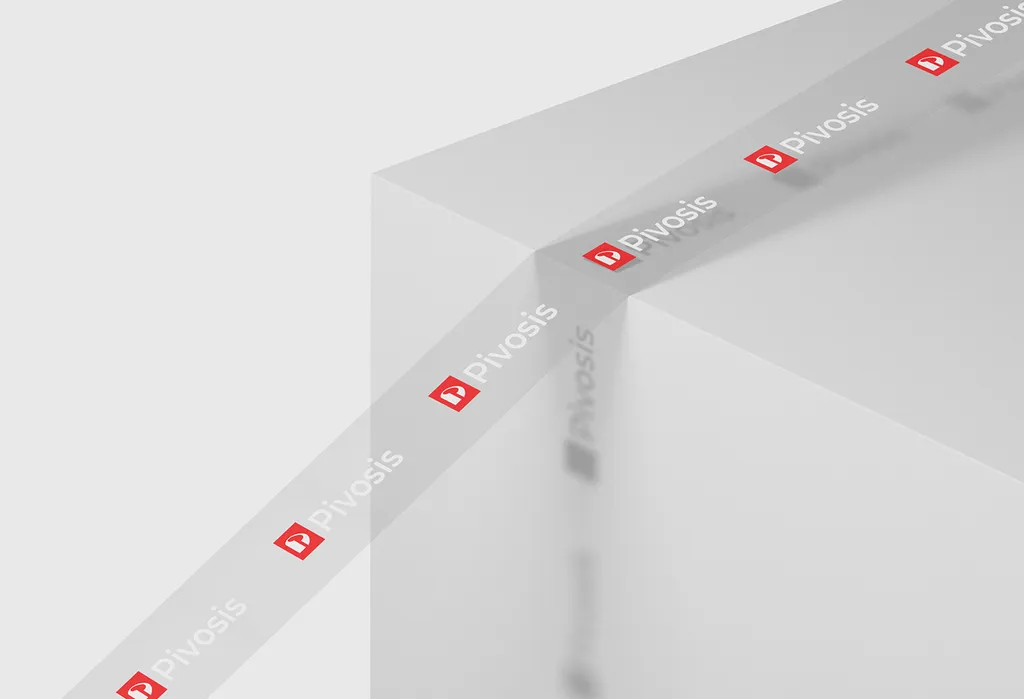
Pivosis was a new brand identity, not a rebrand, but it shows the range: one P mark on app widgets, social posts, a billboard, staff ID badges, an office glass wall and branded tape. An established company has all of these in old versions, with suppliers who hold the old files.
Step 6: Plan the rollout
The rollout plan turns the inventory into a schedule: who does each item, when, in what order and what it depends on.
Choose a launch approach
| Approach | How it works | Fits when |
|---|---|---|
| Switch day | Everything customer-facing changes on one day | Mostly digital businesses; a name change; you want one clear moment |
| Staged | Digital switches on launch day; physical assets follow as they are replaced | Shops, fleets, packaging, anything with stock or long lead times |
| Bridge | The new brand appears with a line linking it to the old one (“formerly X”) for a period | A name change with a loyal customer base |
Many companies combine them: switch day for digital, staged for physical, and a bridge line for a few months if the name changed.
Who does what
| Role | Owns |
|---|---|
| Founder or CEO | Final decisions, the internal announcement, the message to key customers and investors |
| Project owner (often marketing or operations) | The inventory, the schedule, chasing every owner |
| Designer | The identity, guidelines, templates and source files for everyone else |
| Developer | Website and app changes, the redirect map, Search Console, testing |
| Trademark attorney and accountant | Clearance, filings, legal name and tax changes, if the name changes |
| Sales and support leads | Customer conversations, the FAQ, scripts for questions |
| Suppliers | Signs, print, packaging, vehicles, uniforms, on agreed dates |
Protect your search rankings
A new look on the same URLs, with the same content, doesn’t change your rankings by itself. The risk comes when the domain or the URLs change, as they do in most name changes. Google Search Central’s guidance for site moves is specific:
- Map every old URL to its new URL, not everything to the homepage. Google says “it’s important to map your old site’s URLs to the URLs for the new site.”
- Use permanent redirects. Google recommends HTTP permanent redirects “such as 301 and 308.”
- Keep the redirects “for as long as possible, generally at least 1 year.”
- Update internal links and sitemaps to the new URLs.
- Expect some movement. Google says a small to medium-sized site “can take a few weeks for most pages to move,” with ranking fluctuations while it recrawls.
Google also advises changing only one thing at a time, one change after the other: move the domain first and rewrite the content later, or the other way round. Then you know which change caused any movement.
For a new domain, use the Change of Address tool in Search Console once the redirects are live. It needs a 301 redirect from the old homepage to the new one and verified ownership of both properties; Google forwards signals for 180 days and recommends “continuing to pay for the old domain for at least a year.” Keep it longer if you can: old links, print and email addresses keep pointing to it.
Check your Google Business Profile before a name change
If customers find you on Google Maps, check this early. Google says your profile name “should reflect your business’s real-world name, as used consistently on your storefront, website, stationery.” Its rebranding criteria cover a minor name change (the proper nouns and services in the name stay the same, and so does the category) or a multi-location business whose name changes. For a chain or franchise, franchise branding covers Google’s rules for many locations. Otherwise, Google says, the business “is considered a new business.” Read the current rules before announcing a new name, and change the sign, website and profile together.
The go/no-go check
The day before launch, the project owner checks:
- The website, app and redirects tested on staging
- Social profiles, signatures and templates ready to switch
- The team briefed (step 7), with the FAQ
- Messages to key customers and partners drafted
- If the name changes: the domain, handles and trademark position secured; legal and bank changes done or scheduled
If any of these is not ready, move the date. A launch a week late costs less than broken links and a team that can’t explain the change.
Step 7: Announce it: team first, then customers
The internal launch
Your team should hear about the rebrand from you, before customers do, and understand why it is happening, not just what the logo looks like. Give them:
- The reason in two or three sentences, from the strategy.
- What changes and what stays the same, including for customers (prices, contracts, logins, contacts).
- An FAQ with the questions customers will ask and the answers to give.
- The new tools: the signature, templates, deck, guidelines, and where the files live.
- A switch date and a contact for questions.
Sales and support need this first, because they get the questions on day one.
The customer announcement
Customers care less about your new logo than about whether anything changes for them. Answer that in the first lines:
- What changed: the new name or look, shown, not just described.
- Why: the honest reason, in customer terms.
- What stays the same: the team, the product, the contract, the login.
- What they need to do: usually nothing. If they need to update a payee name or an email address, say so clearly.
Tell your most important customers personally before the public announcement, then use the channels they already read: email, in-app messages, the website, social profiles. If the name changed, keep a “formerly X” line on the website, in email footers and on social profiles for a while, so people searching the old name find you.
Step 8: After launch
Launch day is not the end. The first weeks catch what the inventory missed; the first year protects what you built.
- First week: test redirects page by page and fix any that land on errors or the homepage. Search your own site, app, documents and profiles for the old name and logo. Add repeated customer questions to the FAQ.
- First months: work through the staged items (templates, listings, partner pages). Watch Search Console for crawl errors and pages that lost traffic. Collect feedback on the brand in use.
- First year and beyond: keep the redirects, the old domain and the “formerly” line while people still arrive through them. Replace physical items as they run out. Update the guidelines when real use shows a gap.
What to measure. Record a baseline before launch: organic and branded search traffic, the website conversion rate, how often prospects ask who you are, support tickets about the change, and whatever the strategy said the rebrand should change (inquiries from a new audience, deal size, recruiting). Give it time; perception moves slowly. The ROI of branding explains which numbers a brand can realistically move.
How long a rebrand takes
| Phase | Typical length |
|---|---|
| Audit, strategy and identity (with me) | 3–4 weeks |
| Naming, if the name changes (first) | 1–2 weeks, plus your attorney’s clearance |
| Asset inventory and rollout plan | Alongside the design work |
| Launch | One day for digital, if prepared |
| Physical items | As lead times and stock allow |
| Redirects and the old domain | At least a year (Google’s guidance) |
The design is the shortest part. A software company with no physical stock can switch most things in a day; a business with shops, vehicles and packaging changes over months. Start the inventory while the identity is being designed, so the rollout doesn’t begin from zero when the files arrive. For the timelines of every other scope, see how long a brand identity takes.
An example from my work: Core.hr
Core.hr is HR software. The company wanted HR to feel like a people-first experience rather than a policy-driven system, but its old brand, a busy capitalized logotype, said the opposite. The name stayed. The idea behind it changed, and so did everything that carried it.
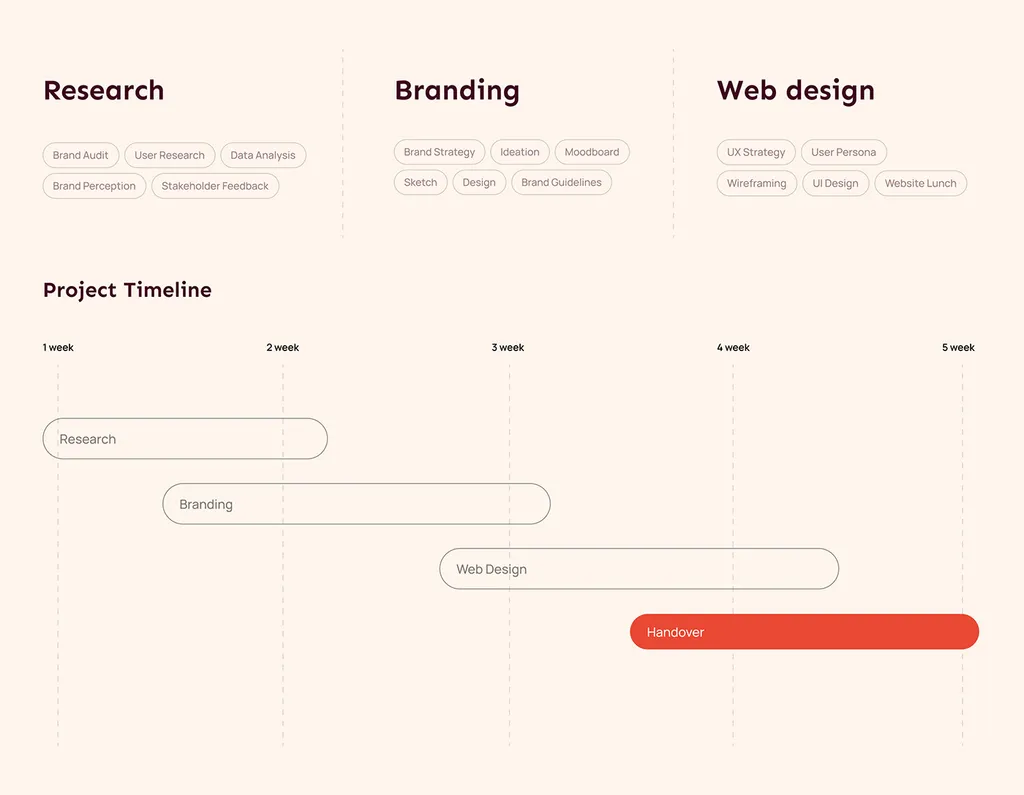
- Strategy. The brand was repositioned as a supportive bridge between employers and employees, built on trust, openness and connection. The work ran in phases: research, branding, then web design.
- Identity. A calm lowercase wordmark under a rising red sun, with deep burgundy, warm red gradients, plenty of space and Mont Display, all documented in brand guidelines.
- Product. The new system went into the HR app itself: attendance, timesheets, team availability and dashboards, on the web, the phone and the smartwatch.
- Brand in use. A website that leads with people, then shows the product, plus stationery, merch, social templates and event graphics in the same burgundy and red.
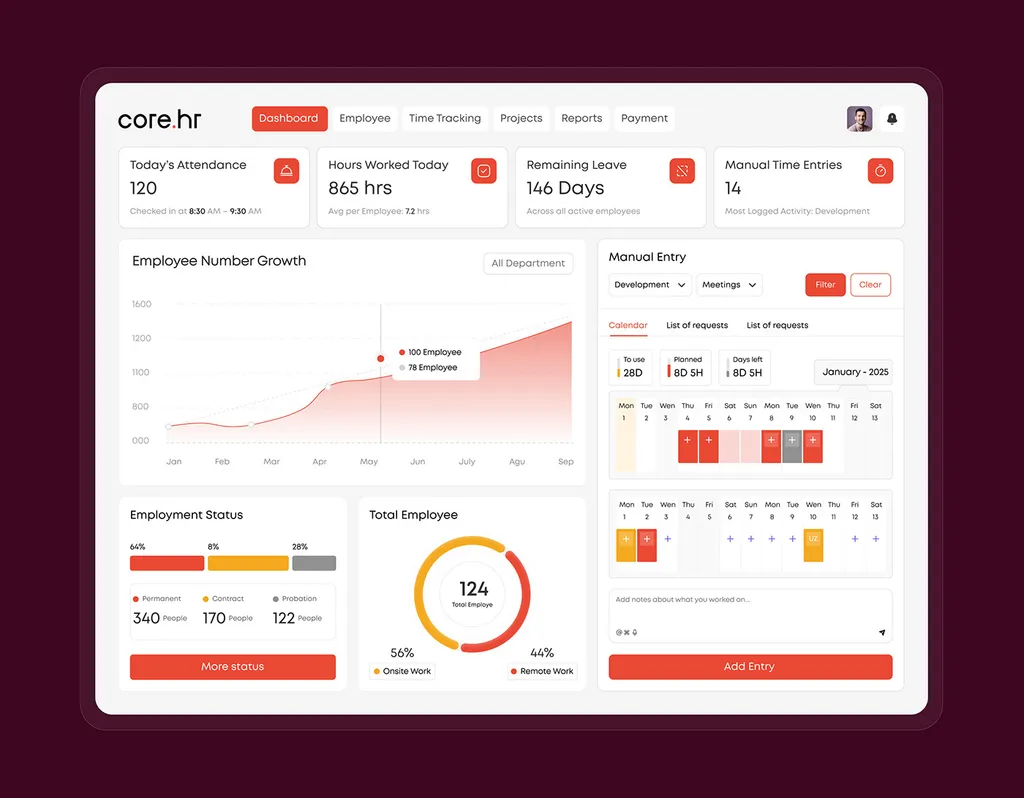
The lesson is scope: for a software company, the rebrand isn’t finished until the product looks like the company you now say you are.
Common rebrand mistakes
- Designing before deciding. Logos before the strategy is agreed, so every review becomes a debate about what the company is.
- Throwing away what customers recognize. A known color or symbol can carry the new brand through the switch.
- Announcing a name you can’t own. Printing or announcing before the trademark search and the domain are done.
- Treating the website launch as the rebrand. The old logo stays on invoices, listings and the deck for months.
- Redirecting everything to the homepage. Old pages and backlinks lose their match, and traffic drops more than it needs to.
- Telling customers before the team. Support and sales get questions they can’t answer.
- Announcing the logo instead of the reason. Customers want to know what changes for them.
- Stopping at launch. No baseline, no checks, and the redirects get deleted at the next website update.
Rebrand checklist
Before design
- Audit done: what to keep, what to drop; rebrand or refresh decided
- Strategy agreed by everyone who can veto it; one decision-maker named
- Name decided; if new, cleared by an attorney, with the domain and handles secured
Design
- Directions judged on real touchpoints, against the strategy
- Identity approved; guidelines and source files delivered; font licenses bought
Before launch
- An asset inventory with owners, costs, lead times and dates
- A launch approach chosen; physical items ordered
- A redirect map built page by page and tested
- Legal, tax and bank changes scheduled (if the name changes)
- Baseline metrics recorded
- The team briefed; customer messages drafted; key customers told personally
Launch and after
- The website, app, profiles and signatures switched
- Change of Address submitted (new domain only)
- Redirects checked in the first week; listings updated
- The old domain kept and redirecting for at least a year
- Results reviewed against the baseline
How I work on rebrands
A rebrand with me covers the audit, strategy and positioning, the new logo system, color, typography and imagery, voice and key messages, and guidelines. It takes 3–4 weeks, with weekly check-ins in your time zone and unlimited revisions within the agreed scope. The price is quoted after a free 30-minute call, as a fixed written proposal with one price, one timeline and the deliverables; it doesn’t change mid-project. Payment is 50% to start and 50% before the final files are handed over. Guidelines come as PDF, PowerPoint and Illustrator files plus a Figma library with source files, and you own all the final files.
If the name changes, naming is a separate 1–2 week project that runs first. If the audit shows a refresh is enough, a brand refresh takes 2–3 weeks. Fixed packages for new brands, including the $3,499 brand identity, are on the pricing page.
I don’t build websites or file trademarks and legal name changes. Your developer, lawyer and printers do, with clean files from me, and the rollout plan above gives each of them their part. I work remotely, with calls in your working hours.
If your company has outgrown its brand, book a free 30-minute call and bring three things: your current logo and homepage, one sentence on what has changed in the business, and a rough list of where your brand appears today. We will start with what is worth keeping.
FAQ
How long does it take to rebrand a business?
The strategy and design usually take 3–4 weeks, plus 1–2 weeks of naming first if the name changes. The rollout comes on top: a software company can switch most things in a day, while one with signs, vehicles and packaging changes over months. Keep redirects for at least a year.
How much does it cost to rebrand a business?
It depends on the scope: whether the name changes, how many markets and languages the brand covers, and how many assets must be replaced. With me, a rebrand gets a fixed written proposal after a free 30-minute call. Budget separately for the rollout: website changes, print, signage, legal filings and your team’s time.
What are the steps in a rebrand?
Eight: audit the current brand, set the new strategy, decide whether the name stays, design the new identity, list every place the old brand appears, plan the rollout, announce it to your team and then your customers, and check and measure after launch.
Will rebranding hurt my SEO?
A new look on the same URLs usually doesn’t. Changing the domain or URLs can cause a temporary dip. Map every old URL to its new equivalent with permanent (301) redirects, keep them for at least a year, update internal links and sitemaps, and use Search Console’s Change of Address tool for a new domain.
How do I announce a rebrand to customers?
Tell your team first, then your most important customers personally, then everyone else through email, your website and social profiles. Lead with what changed, why, what stays the same and whether they need to do anything. If the name changed, keep a “formerly” line for a period.
Should I change my business name when I rebrand?
Only if the name is part of the problem: a trademark conflict, a name that misleads people about what you do, or a tie to something you no longer are. Most rebrands keep the name and change the strategy and identity around it.
Sources
- Muzellec and Lambkin: Corporate rebranding: destroying, transferring or creating brand equity? (European Journal of Marketing, 2006)
- USPTO: Comprehensive clearance search for similar trademarks
- Google Search Central: Site moves with URL changes
- Google Search Console Help: Change of Address tool
- Google Business Profile Help: Guidelines for representing your business on Google