Brand Kit: What to Include, With a Folder Template to Copy
A brand kit is the folder of logos, colors, fonts, templates and copy your team uses every day. What to put in it, a folder to copy and how to hand it off.

Summarize with AI
Key takeaways
- A brand kit keeps your ready-to-use brand files in one shared place, so nobody has to hunt for the right logo or font.
- The kit is the “what” of the brand. Brand guidelines are the “how” (the rules), and a brand book adds the “why” (the story and strategy).
- Many design tools have a “brand kit” feature for your logo, colors and fonts. It’s a useful place to load the kit, but it doesn’t replace the original files.
- Make sure the company owns the kit: files in a company account, fonts licensed in the company’s name and a signed, written transfer of copyright.
- Plan the handoff: one folder with a README, the kit loaded into the team’s tools, a short walkthrough and one named owner.
A brand kit is a collection of your brand’s working assets in one shared place: logo files in every version and format, color values, fonts, approved images and icons, templates for the things your team makes every week, and a few lines of ready-made copy. It’s what people open when they need to make something today. This article covers what to include, a folder structure you can copy, real examples and how to hand a kit over so your team uses it.
| Folder | What’s inside | Formats |
|---|---|---|
| 01 Logos | Every logo version in color, one color, black and reversed; symbol; favicon and app icon | SVG, PDF, PNG |
| 02 Colors | Each color with HEX, RGB, CMYK (and Pantone if you print) | PDF or text sheet, swatch file |
| 03 Fonts | Font files or download links, fallback fonts, license records | OTF/TTF, web fonts, license PDFs |
| 04 Imagery and icons | Approved photos or illustrations, icon set, patterns | JPG, PNG, SVG |
| 05 Templates | Slide deck, social posts, email signature, letterhead, business card | PowerPoint or Google Slides, Figma or Canva, Word, print PDF |
| 06 Copy | Boilerplate, tagline, short and long descriptions, social bios, key messages | Word or Google Doc |
| 07 Guidelines | The brand guidelines, or a one-page version | PDF plus an editable copy |
| 08 Source files | Figma library, Illustrator files | FIG, AI |
| README | Owner, contact, version date, which file to use where | Text or PDF |
I’m Masuder Rahaman, a brand designer and the founder of Wolfpixel, where I lead the design team. I hand over brand files at the end of every brand identity project, and the last section lists exactly what that includes. A logo, colors and fonts are where a kit starts; the sections below cover the rest.
What is a brand kit?
The term has three common meanings:
- A set of brand files. The folder of logos, colors, fonts, imagery, templates and copy a designer hands over, or a team builds. This is the meaning used in this article.
- A feature in a design tool. Several design platforms call the place where you store your logo, colors and fonts a “brand kit.” Fabrik notes that brand kits are usually built into design platforms, while style guides tend to be fuller documents.
- A public press or partner kit. A page where outsiders download your logo and read the basic rules, such as Mailchimp’s brand assets page.
Some vendors stretch it further. Brandkit, which sells brand-management software, describes a kit as every asset, guideline and resource a team needs, including video and a digital asset platform. That’s a fair goal for a large marketing team. For a startup, the eight folders above are enough.
How is a brand kit different from brand guidelines?
| Compare | Brand kit | Brand guidelines |
|---|---|---|
| Answers | What do I use? | How do I use it? |
| Form | A folder of files and templates | A document of rules and examples |
| Opened when | Someone is making something today | A question comes up |
| Changes when | A file or template is added or replaced | A rule changes or a new use appears |
Miro draws the same line: a kit centers on the assets teams use day to day, while a style guide explains the reasoning behind each choice. QuillBot calls guidelines the more comprehensive and strategic document. You need both. A kit without rules leads to the right logo used the wrong way, and rules without a kit leave people screenshotting the logo from your website.
The rules themselves are covered in brand guidelines: what to include. A brand book sits one level above both and adds the story and strategy; see what a brand book is. For a small team, one-page brand guidelines can sit in the kit as the rules, and logo, identity or guidelines helps if you’re still deciding how much to commission.
What to include in a brand kit: 9 parts
Logos
Every version (primary, horizontal, stacked, symbol or monogram) in full color, one color, black and reversed for dark backgrounds. Each in SVG for screens, vector PDF for print and transparent PNG for slides and documents. Add a square symbol for social avatars, an app icon master and a favicon; Google recommends a square favicon larger than 48×48 px.
Colors
Each color with HEX and RGB for screens and CMYK for print, plus Pantone if you print packaging or signs. A one-page color sheet is enough, with the approved text and background pairs marked.
Fonts
The font files (or download links), the weights you use, a fallback for each that works in PowerPoint and Google Slides, and the license records. Fonts are software, and a license bought by your designer covers your designer. Buy the licenses in your company’s name for every use you need: desktop, web and app. Open-license fonts are simpler. Asked whether OFL fonts can be used commercially, the SIL Open Font License FAQ answers a plain “yes”, as long as the font itself isn’t sold on its own.
Imagery and icons
Approved photos or illustrations (with their licenses), the icon set as SVG, and any patterns or shapes that belong to the brand.
Templates
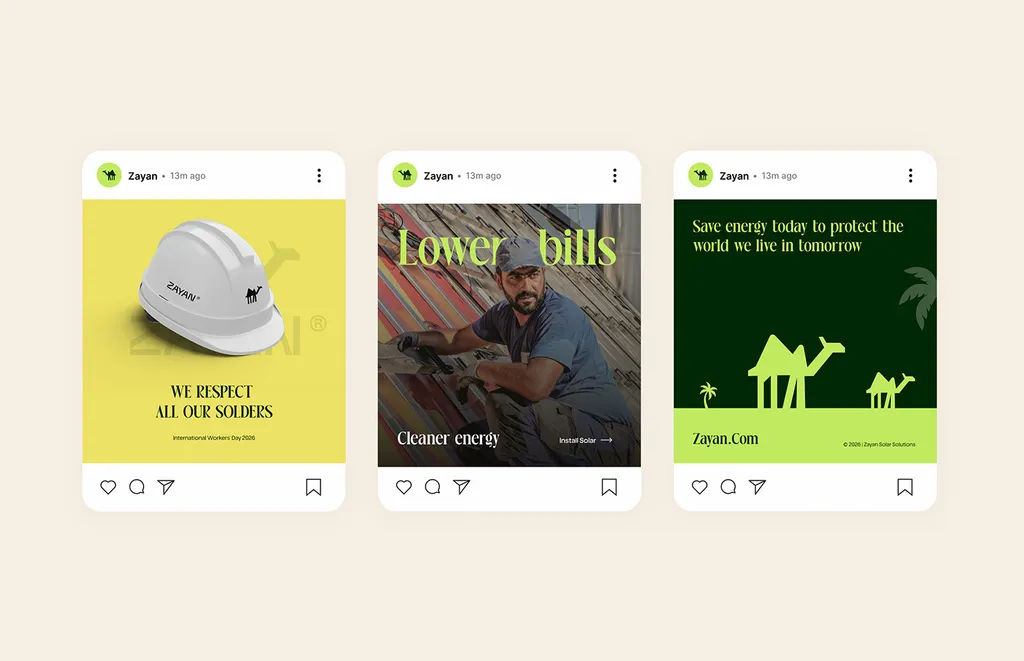
The things your team makes every week, in the tools they actually use. For most small companies: a slide deck, two or three social post formats, an email signature, letterhead or a document template, and a business card file for the printer.
Copy
A short and a long company description (boilerplate), the tagline if there is one, social bios, and three or four key messages. These are the lines people otherwise rewrite, slightly differently, every time.
Guidelines
The brand guidelines as a PDF, plus an editable version for people without design software. For a small team, a one-page version is often enough to start.
Source files
The Figma library and Illustrator files. You may never open them, but the next designer or agency will need them.
README
One page at the top of the folder: who owns the brand, who to ask, which file to use where, and the date of the last update.
Brand kit template: a folder structure to copy
Brand kit (company name, version date)
├── README.pdf
├── 01 Logos
│   ├── Primary (SVG, PDF, PNG)
│   ├── Horizontal (SVG, PDF, PNG)
│   ├── Symbol (SVG, PDF, PNG)
│   ├── One color and reversed
│   └── Favicon and app icon
├── 02 Colors (color sheet, swatch file)
├── 03 Fonts (files or links, fallbacks, licenses)
├── 04 Imagery and icons
├── 05 Templates (deck, social, email signature, letterhead, business card)
├── 06 Copy (boilerplate, tagline, bios, key messages)
├── 07 Guidelines (PDF, editable copy)
└── 08 Source files (Figma, Illustrator)
Name files so they sort and explain themselves, for example companyname-logo-horizontal-reversed.svg. A file called logo-final-v3.png soon can’t be told apart from v4.
Which brand kit file to use where
| Where it’s used | File to use | Avoid |
|---|---|---|
| Website, app, anything on screen | SVG | JPG, small PNG |
| Anything printed | Vector PDF | PNG, JPG |
| Slides, documents, email signature | Transparent PNG | JPG (no transparent background) |
| Social profile picture | Square symbol, PNG | The horizontal logo |
| Browser tab | Favicon (square, larger than 48×48 px) | The full logo |
| Signs, embroidery, vehicles | One-color vector PDF | Gradients and fine detail |
The full list of what a finished identity handover should contain, including rights and paperwork, is in my brand identity deliverables checklist.
Brand kit examples, public and from real projects
Public brand kits are usually made for outsiders: press, partners and developers. They show what the minimum looks like.
- Mailchimp offers its logo as EPS and PNG downloads, with a reverse version for dark backgrounds and short please-do and please-don’t lists, such as not altering the graphics and not implying an endorsement.
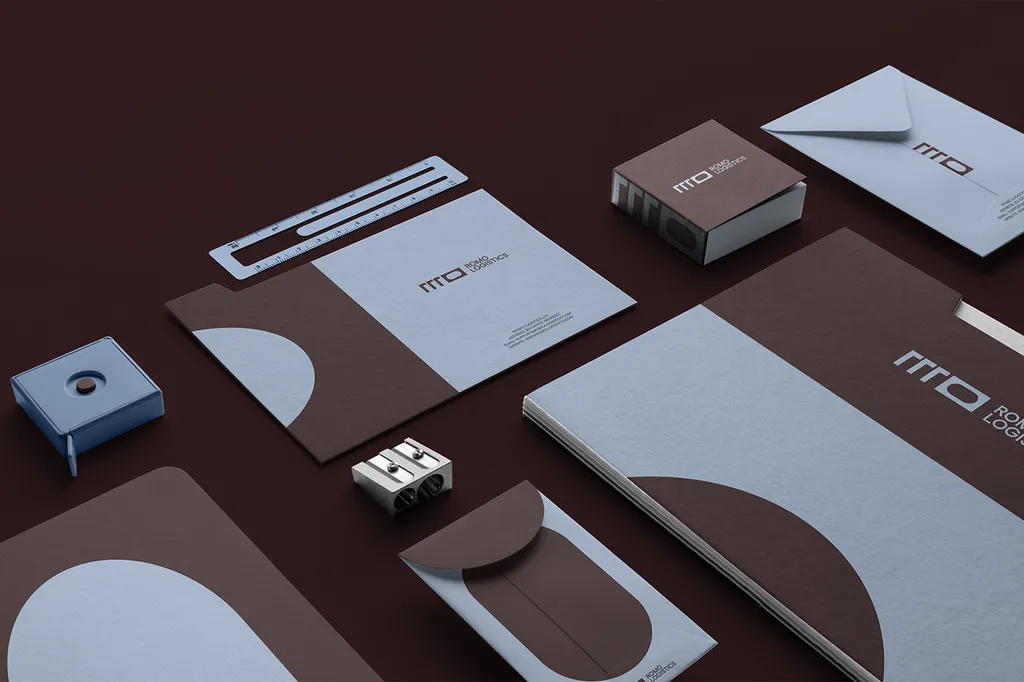
- ROMO Logistics, a transport brand we designed, shows the internal side: stationery, an app icon and a work uniform built from the same logo, colors and type. Finished designs like these give a team something to reuse instead of a logo file to improvise with. See the ROMO Logistics case study.

How to hand off a brand kit
A kit that sits in a designer’s download link isn’t handed off. These are the steps that make it the company’s:
- Put it in a company account. One shared folder in your company’s drive, not a personal account and not only the designer’s link.
- Add the README. Owner, contact, which file goes where, version date.
- Load it into the tools your team uses. Brand colors and fonts into your design tool’s brand kit feature, templates into PowerPoint or Google Slides, the Figma library shared with anyone who designs.
- Publish a press kit if outsiders need your logo. A page with logo downloads and three or four rules answers the request before anyone emails it.
- Check ownership on paper. Under US law, a transfer of copyright is not valid unless it is in writing and signed. Make sure your contract transfers the final files to you, and that font licenses are in the company’s name.
- Walk the team through it. Thirty minutes: where the folder is, which logo goes where, how to start a deck from the template.
- Test it and name an owner. Ask someone new to find three things on their own: the reversed logo, the deck template and the font license. If they can’t, the folder needs better names or a clearer README. Then name one person who keeps the kit current.
Startup brand kit: the minimum to start with
If you’re starting out, finish a small kit before planning a big one:
- The logo in three versions (primary, symbol, reversed) as SVG and PNG
- Three to five colors with HEX values, and one text-safe pair
- Two fonts, or one font and a fallback
- A slide template and one social post template
- A two-sentence company description
- A one-page guide and a named owner
Add the rest (print files, a photo library, more templates) as the team and the work grow.
What’s in the brand kit I hand over
On a brand identity project ($3,499, 2–3 weeks, unlimited revisions within the agreed scope), you get the brand identity and brand guidelines as PDF, PowerPoint and Illustrator files, plus a Figma library with source files. You own all final files once the project is paid in full. You buy the font licenses; stock images used in the work are provided. Your lawyer files the trademark, and I hand over clean files for it. A bilingual Arabic and English version is included at the same price.
The logo design package ($999, 1–2 weeks, 3 concepts, 3 revision rounds) covers the logo only. The Premium package ($6,999, 4–6 weeks) adds an AI-ready brand system (design tokens as JSON, an AI image style guide, brand voice for AI tools and an AI review checklist) and website design in Figma. All three are on the pricing page. If your team needs other templates, name them on the first call so the written proposal can include them.
Book a free 30-minute call in your time zone, and bring the last three things your team made. We’ll work out what your kit is missing.
FAQ
What is a brand kit?
A brand kit is the shared folder of files a team uses to make on-brand work: logos, color values, fonts, approved images and icons, templates and ready-made copy.
What should a brand kit include?
Logos (every version, as SVG, PDF and PNG), colors (HEX, RGB, CMYK), fonts with license records, imagery and icons, templates for common materials, boilerplate copy, the brand guidelines, source files and a README naming the owner.
What is the difference between a brand kit and brand guidelines?
The kit is the files; the guidelines are the rules for using them. A kit tells you which logo file to download; the guidelines tell you where it may go, how big it must be and what not to do with it.
Is a branding kit the same as a brand identity kit?
Yes. Brand kit, branding kit and brand identity kit are used for the same thing: the set of assets that make up the visual identity, sometimes with templates and copy.
Can I make a brand kit in a design tool?
Many design tools have a brand kit feature where you store your logo, colors and fonts, and it’s a sensible place to load them if your team designs there. Keep the original files (SVG, PDF, source files and font licenses) in a company folder as well, since a tool’s feature isn’t a complete kit.
Who should own the brand kit?
The company, in a company account, with one named person (often the founder or first marketing hire) who keeps it current and answers questions.
Do I get a brand kit with a logo design?
With me, the $999 logo package covers the logo and its files with full ownership. The full kit, with guidelines, a Figma library and source files, comes with the $3,499 brand identity package.
Sources
- 17 U.S. Code § 204: Execution of transfers of copyright ownership (Cornell LII)
- Google Search Central: Define a favicon to show in search results
- SIL Open Font License: FAQ
- Mailchimp: Brand assets
- Miro: How to create a brand kit (updated 15 June 2026)
- QuillBot: Brand Kit, Definition, Components & How to Create (revised 1 June 2026)
- Fabrik: The best brand kit examples (7 March 2024)
- Brandkit: What is a brand kit?